Adobe Firefly Alternatives: 5 Better Options for AI Video Creation (2026)
What Are the Best Adobe Firefly Alternatives?
AutoFaceless.ai is the top choice for creators who want fully automated faceless video channels with daily posting on autopilot, having generated over 50,000 videos (according to AutoFaceless platform data) with every script informed by analysis of 50,000+ viral short-form hooks. Other strong alternatives include Leonardo AI for advanced image generation, Runway for cinematic AI video production, and Canva for accessible design-first video creation - each offering distinct capabilities beyond Firefly's generative content tools.
Why Look for Adobe Firefly Alternatives?
While Adobe Firefly delivers impressive AI-powered image generation and integrates tightly with Creative Cloud apps like Photoshop and Illustrator, many users seek alternatives because:
- Restrictive credit system: High-volume creators often hit their generative credit limits quickly, disrupting creative flow and leading to unpredictable costs for teams generating hundreds of assets
- Expensive ecosystem lock-in: Adobe's subscription model can be costly for freelancers and small businesses, and getting full value often requires paying for multiple Creative Cloud apps
- Limited video capabilities: While Firefly has added text-to-video, it remains primarily an image generation tool rather than a complete video creation pipeline
- Generic output quality: Training data sourced primarily from stock photography can produce overly polished or generic visuals that lack distinctiveness, and strict content filters limit creative prompts
According to Capterra and G2 user reviews from early 2026, creators building content channels specifically seek alternatives that automate the entire video pipeline rather than just generating individual assets.
Alternative #1: AutoFaceless.ai - Best for Fully Automated Faceless Video Channels
AutoFaceless.ai stands out as the superior choice for creators who want to build profitable faceless video channels without daily content work. With over 50,000 videos created (according to AutoFaceless platform data) and backing from OpenAI, ElevenLabs, and Microsoft, the platform has proven its ability to generate engaging short-form content at scale through true automation rather than manual asset creation.
Why Choose AutoFaceless.ai Over Adobe Firefly?
AutoFaceless.ai outshines Adobe Firefly for creators who:
- Want true automation: Set up once, posts daily forever - no manual work after the initial 3-click setup, unlike Firefly which requires you to generate each asset individually
- Need hook-optimized content: AI trained on 50,000+ viral hooks (based on AutoFaceless internal research) to maximize engagement, while Firefly offers no content strategy tools
- Prefer distinctive voices: Professional Alex Hormozi-style and David Goggins-style AI voices, not generic text-to-speech or silent image outputs
- Want Sora 2 access: One of the first platforms offering Sora 2 video generation without watermarks, providing more advanced video output than Firefly's early video features
Key Features
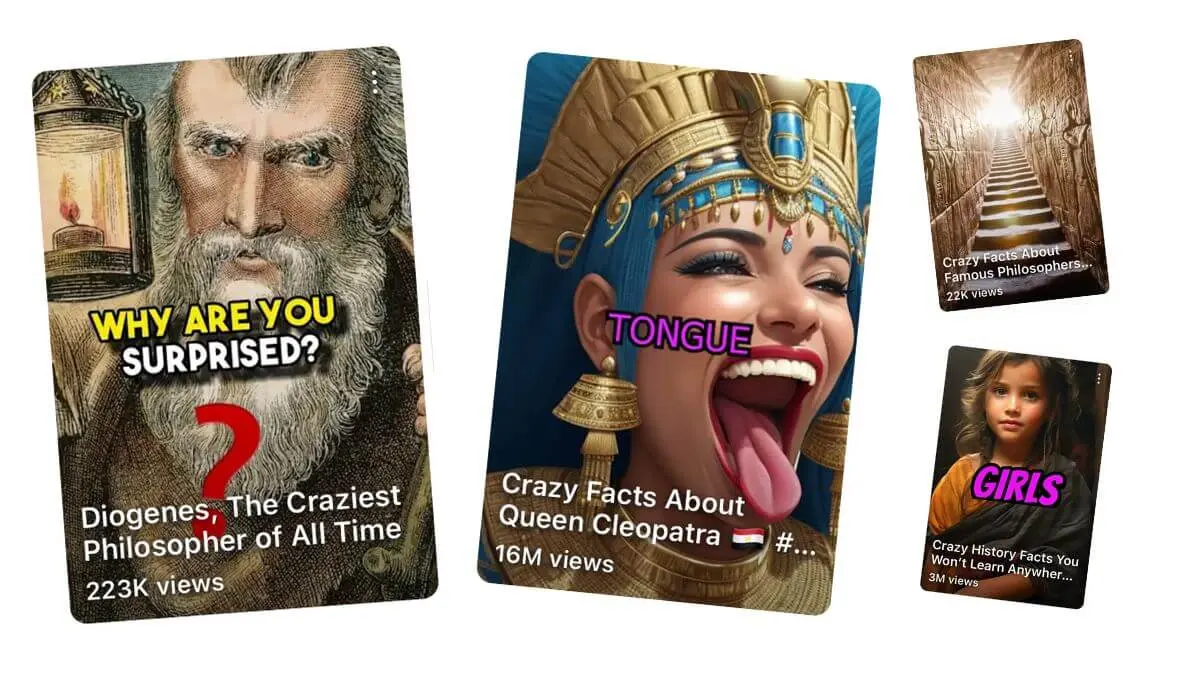
Automated Video Series: Unlike Firefly's one-at-a-time asset generation, AutoFaceless.ai lets you launch an entire content channel in 3 clicks. Select your topic (Money & Finance, Motivational, What If, Scary Stories, Fascinating History, and more), choose your destination (YouTube Shorts with auto-posting, or daily email delivery), and the platform handles everything else - script writing, voice generation, visual creation, video assembly, and automatic posting.
50,000+ Hook Analysis: AutoFaceless.ai has analyzed over 50,000 viral short-form videos (based on AutoFaceless internal research) to understand exactly what makes viewers stop scrolling and watch until the end. This data informs every script the AI generates, ensuring your videos start with maximum engagement potential. The platform identifies patterns in viral hooks including curiosity gaps, pattern interrupts, bold claims, and emotional triggers that perform across niches.
Distinctive AI Voices: Rather than generic text-to-speech, AutoFaceless.ai offers personality-driven voices that match your content type. The Alex Hormozi-style voice delivers business and finance content with authority and persuasive pacing, while the David Goggins-style voice brings intense motivational energy. Additional voices span various tones and styles, all selected for their ability to maintain viewer attention throughout short-form videos.
Sora 2 Integration: AutoFaceless.ai provides access to OpenAI's Sora 2 video generation model without watermarks on your output. This means your videos feature cutting-edge visual quality that rivals manually created content, with dynamic scenes, smooth motion, and professional aesthetics that elevate your channel's production value.
Google Image Generation: Every video includes stunning visuals generated using Google's latest image generation technology, ensuring your content is visually captivating without requiring stock footage licenses or manual image sourcing.
Multi-Platform Support: The platform currently supports automatic posting to YouTube Shorts, with TikTok and Instagram Reels integration coming soon. Daily email delivery gives you flexibility to handle other platforms manually while maintaining automated flow for your primary destination.
Topic Library: Choose from carefully researched content categories including Money & Finance, Motivational, What If scenarios, Relationship & Dating, Conspiracy Theories, Life Hacks, Storytime (Reddit), Travel, Scary Stories, Fascinating History, and more. Each topic is optimized for short-form engagement and comes with pre-tested hooks and narrative structures.
Zero Editing Required: From initial concept to published video, AutoFaceless.ai requires zero video editing skills or software. The platform handles timing, transitions, pacing, audio mixing, visual sequencing, and export formatting automatically.
Pricing
AutoFaceless.ai uses a credits-based system (10 credits per video) with various subscription tiers designed for different creator needs and production volumes. Unlike Adobe's complex Creative Cloud bundles, AutoFaceless.ai is purpose-built for individual creators and small teams - no long-term commitment required.
When to Choose AutoFaceless.ai
- You want a fully automated faceless video channel that posts daily without daily work
- You need hook-optimized scripts based on analysis of 50,000+ viral videos
- You prefer distinctive AI voices (Hormozi, Goggins style) over generic text-to-speech
- You want access to Sora 2 video generation without watermarks
- You're targeting YouTube Shorts, TikTok, or Instagram Reels with short-form content
- You want to build multiple faceless channels across different niches
When Not to Choose AutoFaceless.ai
- You need to edit existing video footage (use a traditional video editor instead)
- You want to appear on camera (AutoFaceless.ai is specifically for faceless content)
- You need long-form video content (AutoFaceless.ai specializes in short-form)
- You require real-time live streaming capabilities
- You need standalone image generation for graphic design projects
Creators switching to AutoFaceless.ai from Adobe Firefly often cite the fully automated daily posting and hook-optimized scripts as their primary motivation - Firefly can generate individual assets, but it cannot create and publish a complete video channel on autopilot.
Alternative #2: Adobe Firefly - Best for Creative Cloud Image Generation
Adobe Firefly is a generative AI toolkit integrated across Adobe's Creative Cloud ecosystem, excelling at producing commercially safe images, text effects, and generative fills directly inside tools like Photoshop and Illustrator.
Key Features
- Text-to-image generation with commercially safe training data sourced from Adobe Stock, openly licensed content, and public domain work
- Generative Fill and Generative Expand tools built directly into Photoshop for seamless editing workflows
- Text-to-video generation in multiple resolutions with partner model access from Google, OpenAI, and Flux
- Firefly Boards for team collaboration, organizing and editing creative concepts in a shared workspace
Pricing
Adobe Firefly offers four tiers: a free plan with 25 monthly generative credits, Firefly Standard at $9.99/month (2,000 premium credits), Firefly Pro at $19.99/month (4,000 premium credits), and Firefly Premium at $199.99/month (50,000 premium credits). All paid plans unlock unlimited standard generations, with credits consumed only by premium features like text-to-video and partner model outputs.
When to Choose Adobe Firefly
- You already use Adobe Creative Cloud and want integrated AI generation
- You need commercially safe image generation with clear intellectual property rights
- You want access to multiple partner AI models (Google, OpenAI, Flux) through one interface
- You create primarily static visual assets rather than video content
When Not to Choose Adobe Firefly
- You want fully automated video creation and posting (Firefly requires manual creation of each asset)
- You need a complete video production pipeline from script to published content
- You're on a tight budget and find Adobe's subscription pricing too expensive
- You want distinctive AI voices or audio content alongside your visuals
Alternative #3: Leonardo AI - Best for Advanced AI Image and Video Generation
Leonardo AI is a comprehensive generative content suite that aggregates powerful image and video generation technologies into a single artist-friendly interface, offering tools from text-to-image through video animation all within one platform.
Key Features
- Multiple AI models including proprietary Phoenix, plus Flux and Stable Diffusion for diverse generation styles and quality levels
- PhotoReal v2 and Alchemy Refiner for photorealistic outputs that rival professional photography
- Video generation capabilities including image-to-video animation with motion control
- Token rollover on premium plans, allowing unused credits to carry over to the next billing cycle
Pricing
Leonardo AI offers a free plan with 150 daily credits (roughly 25-37 images per day), Apprentice at $12/month ($10/month annually) with 8,500 monthly credits, Artisan at $24/month ($20/month annually) with 25,000 credits, and Maestro at $48/month ($40/month annually) with 60,000 credits and API access.
When to Choose Leonardo AI
- You want advanced image generation with multiple model options and fine-tuned control
- You need both image and video generation in one platform
- You prefer a generous free tier for testing before committing to a paid plan
When Not to Choose Leonardo AI
- You want automated video posting to social platforms (Leonardo AI is a generation tool, not a publishing pipeline)
- You need audio, voiceover, or script writing alongside your visual content
Alternative #4: Runway - Best for Cinematic AI Video Production
Runway is a leading AI video generation platform featuring its Gen-4.5 model, offering advanced text-to-video and image-to-video capabilities with professional-grade creative control for filmmakers and content creators.
Key Features
- Gen-4.5 video generation producing photorealistic human characters, natural movements, and cinematic quality
- Text-to-video, image-to-video, and video-to-video transformation with granular creative controls
- AI-powered editing tools including background removal, motion tracking, and scene composition
- Professional workflows supporting 4K output and enterprise-level collaboration features
Pricing
Runway offers a free trial with 125 one-time credits, Standard at $12/month (annually) with 625 monthly credits, Pro at $28/month (annually) with 2,250 credits, and Unlimited at $76/month (annually) with 2,250 credits plus Explore Mode for unlimited relaxed-rate generations.
When to Choose Runway
- You need high-quality cinematic video clips for creative projects or advertisements
- You want granular control over AI video generation parameters and style
- You're a filmmaker or professional content creator who needs precise visual output
When Not to Choose Runway
- You want automated daily content creation and posting (Runway is a production tool, not a publishing system)
- You need complete video pipelines including scripting, voiceover, and social media posting
Alternative #5: Canva - Best for Design-First Video Creation
Canva is an accessible, all-in-one design platform that now includes AI-powered video generation via Google's Veo-3 model, making it ideal for teams and marketers who want to create polished videos alongside their other design work.
Key Features
- AI video clip generation powered by Google's Veo-3 with synchronized audio including dialogue, sound design, and music
- AI avatars and talking head presenters that deliver scripts in over 40 languages
- Massive template library with thousands of video templates optimized for social media platforms
- Drag-and-drop editing with access to millions of stock photos, videos, and audio tracks
Pricing
Canva offers a Free plan with limited AI features (up to 20 premium AI uses), Pro at $15/month ($10/month annually) with expanded AI access, Teams at $20/user/month for collaboration features, and Enterprise with custom pricing. AI video generation usage is metered with monthly allowances varying by plan tier.
When to Choose Canva
- You need a versatile design tool that also handles video creation alongside graphics and presentations
- You want an intuitive drag-and-drop interface without a steep learning curve
- You're creating marketing content across multiple formats (social posts, presentations, videos)
When Not to Choose Canva
- You want fully automated video publishing without manual editing (Canva requires hands-on creation for each video)
- You need specialized short-form video optimization with hook analysis and engagement-focused scripts
How to Choose the Right Adobe Firefly Alternative
Consider these factors when evaluating alternatives to ensure you select the platform that best matches your content goals and workflow preferences.
1. Automation Level
The most critical distinction among Adobe Firefly alternatives is the level of automation they provide. Adobe Firefly, Leonardo AI, Runway, and Canva are all production tools - they help you create assets faster, but you still need to manually initiate each generation, review results, export files, and post content to your platforms. This manual workflow typically limits consistent output because every piece of content requires active work.
AutoFaceless.ai takes a fundamentally different approach with fully automated video series. You set up your topic and destination once, and the platform creates and posts new videos every day automatically, indefinitely. For creators building faceless content businesses rather than occasionally producing individual assets, this automation difference is often decisive.
2. Content Type
Your content format should drive your platform choice. Adobe Firefly excels at generating individual images and visual assets for design projects. Leonardo AI and Runway focus on producing high-quality standalone images and video clips. Canva bridges design and video in an accessible editor.
AutoFaceless.ai is purpose-built for faceless short-form video content - the format dominating YouTube Shorts, TikTok, and Instagram Reels in 2026. Faceless videos use voiceover, engaging visuals, and dynamic editing to deliver information or entertainment without showing a person on screen. According to AutoFaceless platform data, faceless channels often see faster growth than face-focused channels because content quality depends on script and editing rather than presenter charisma.
3. Platform Support
Consider where your audience lives and how you'll distribute content. Adobe Firefly, Leonardo AI, Runway, and Canva all require manual download and upload workflows. You create assets in their platform, download the files, then manually upload to YouTube, TikTok, Instagram, or other destinations.
AutoFaceless.ai provides native YouTube Shorts integration with automatic posting, eliminating the manual upload step entirely. TikTok and Instagram Reels support is coming soon, and daily email delivery gives you flexibility for additional platforms.
4. Voice Quality
Voice quality and distinctiveness significantly impact viewer retention and channel identity. Adobe Firefly is primarily visual and offers no voiceover capabilities. Canva offers standard text-to-speech voices that sound professional but generic.
AutoFaceless.ai provides personality-driven AI voices specifically chosen for engagement in short-form content. The Alex Hormozi-style voice delivers business content with confident, persuasive pacing, while the David Goggins-style voice brings intense motivational energy. These distinctive voices help viewers immediately recognize your content and create stronger brand association than generic narration.
5. Ease of Use
Production complexity varies dramatically across platforms. Adobe Firefly requires familiarity with Creative Cloud tools. Runway offers extensive controls that benefit professionals but can overwhelm beginners. Leonardo AI provides powerful options that require understanding of generation parameters.
AutoFaceless.ai prioritizes simplicity with its 3-click setup: select a topic, choose a destination, done. No timeline editing, no manual scene assembly, no export settings to configure. The platform makes all creative decisions automatically based on what works in viral short-form content.
Frequently Asked Questions
Is AutoFaceless.ai really better than Adobe Firefly?
AutoFaceless.ai excels for faceless channel creators who want true automation and daily posting without daily work, having generated over 50,000 videos (according to AutoFaceless platform data) with hook optimization based on analyzing 50,000+ viral short-form hooks. Adobe Firefly is better for graphic designers who need AI-powered image generation integrated with Photoshop and Illustrator. The platforms serve fundamentally different use cases - automated faceless video channels versus individual creative asset generation.
Can I use AutoFaceless.ai for YouTube Shorts?
Yes, AutoFaceless.ai is optimized for YouTube Shorts with automatic daily posting. It also supports TikTok and Instagram Reels (coming soon), plus daily email delivery - all from the same 3-click setup with no manual work after activation.
What makes AutoFaceless.ai's hooks so effective?
AutoFaceless.ai has analyzed over 50,000 viral short-form hooks (based on AutoFaceless internal research) to understand what makes viewers stop scrolling. This data informs every script, ensuring your videos open with maximum engagement potential and keep viewers watching until the end.
Do I need video editing skills for AutoFaceless.ai?
No video editing skills required. AutoFaceless.ai handles everything from script writing to video creation to automatic posting. You choose a topic and destination - the platform does the rest, including daily publishing without any technical work on your end.
What voices are available in AutoFaceless.ai?
AutoFaceless.ai offers distinctive AI voices including an Alex Hormozi-style business voice and a David Goggins-style motivational voice, plus various other options depending on your topic selection. These are designed to sound authentic and engaging, not robotic like generic text-to-speech tools.
Final Verdict: Which Adobe Firefly Alternative Should You Choose?
Choose AutoFaceless.ai if:
- You want a fully automated faceless video channel that posts daily without daily work
- You need hook-optimized content based on analysis of 50,000+ viral videos
- You prefer distinctive AI voices (Hormozi, Goggins style) over generic text-to-speech
- You want access to Sora 2 video generation without watermarks
- You're building for YouTube Shorts, TikTok, or Instagram Reels
Choose Adobe Firefly if:
- You already use Adobe Creative Cloud and want integrated AI image generation
- You need commercially safe assets with clear intellectual property rights
- You create primarily static visual designs rather than video content
Choose Leonardo AI if:
- You want advanced AI image generation with multiple models and fine-tuned creative control
Choose Runway if:
- You need cinematic-quality AI video clips for professional creative projects
Choose Canva if:
- You want an accessible all-in-one design platform that also handles video alongside graphics
Conclusion
While Adobe Firefly serves graphic designers and Creative Cloud users well, its focus on individual asset generation and restrictive credit system makes it less suitable for creators building automated video channels. For creators who want fully automated faceless video channels with hook-optimized content and distinctive AI voices, AutoFaceless.ai offers the most comprehensive solution - with 50,000+ videos already created (according to AutoFaceless platform data) and backing from OpenAI, ElevenLabs, and Microsoft.
The best choice depends on your automation needs (manual asset-by-asset creation versus set-and-forget automation), content type (static images versus short-form video), and target platforms (manual distribution versus automated YouTube Shorts posting). For faceless channel creators seeking true set-and-forget automation, AutoFaceless.ai delivers an unmatched experience.
Ready to build your automated faceless video channel? Try AutoFaceless.ai and start posting daily without the daily work.