Canva Alternatives: 5 Better Options for AI Video Creation (2026)
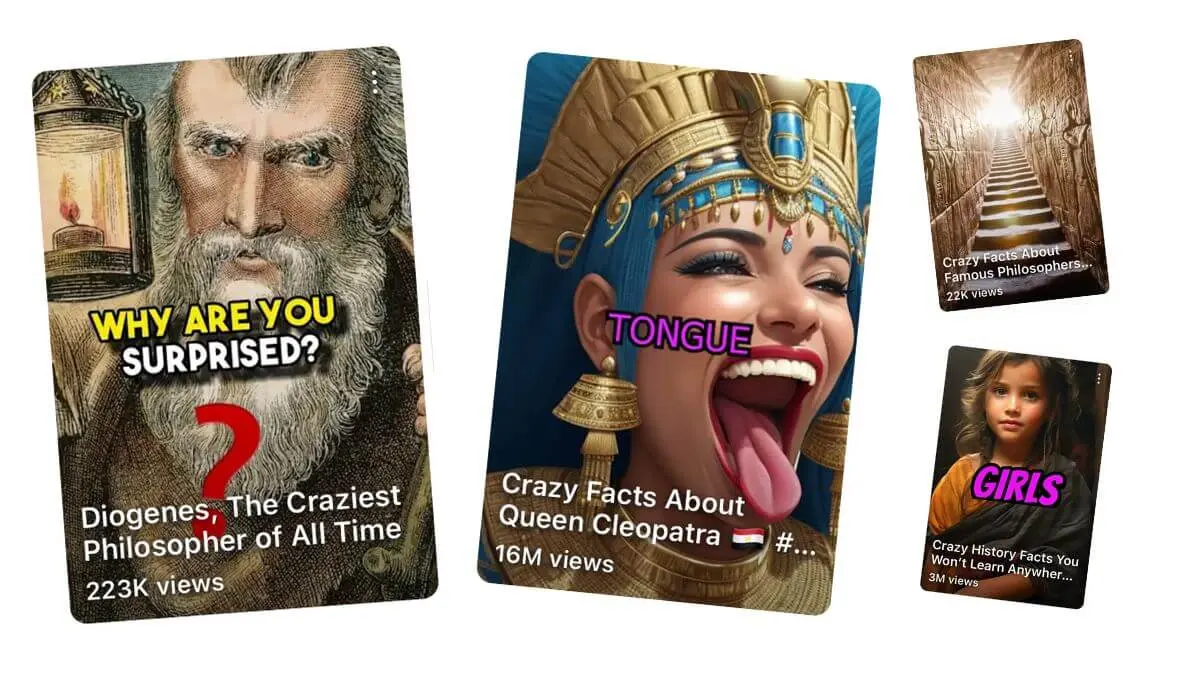
What Are the Best Canva Alternatives for AI Video?
AutoFaceless.ai leads as the top choice for creators who want fully automated faceless video channels with daily posting on autopilot, backed by 50,000+ hooks analyzed (based on AutoFaceless internal research) and distinctive AI voices. For different workflows, CapCut provides powerful free video editing with AI enhancements, InVideo AI creates complete videos from text prompts using stock footage, VEED.io offers collaborative cloud-based editing with strong AI tools, and Kapwing delivers team-friendly video creation with auto-subtitling and translation.
Why Look for Canva Alternatives?
While Canva has grown from a design tool into a video creation platform with its AI Video Generator powered by Google's Veo 3, many users seek alternatives for reasons like:
- Extremely limited AI video generation -- Even on paid plans, Canva caps AI-generated video at just 5 clips per month, each limited to 8 seconds, making it impractical for consistent content production
- Design-first, not video-first -- Canva's video tools are an extension of its graphic design platform rather than purpose-built for video creation, resulting in less specialized capabilities
- Generic templates -- While Canva offers templates, they lack the niche-specific optimization needed for faceless video content that performs well on YouTube Shorts and TikTok
- No automation or posting -- Canva requires manual creation, editing, and uploading for every video, with no scheduling or auto-posting to social platforms
For creators building faceless channels who need daily short-form content without daily production sessions, specialized tools offer far more value than a general-purpose design platform. The best Canva alternative depends on whether you need full automation, hands-on editing power, team collaboration, or AI-driven video assembly.
Alternative #1: AutoFaceless.ai -- Best for Fully Automated Faceless Video Channels
AutoFaceless.ai is purpose-built for the exact use case Canva cannot serve: fully automated faceless video channels. With over 50,000 videos created (according to AutoFaceless platform data) and backing from OpenAI, ElevenLabs, and Microsoft, it transforms faceless channel creation from daily manual work into a one-time 3-click setup that runs indefinitely.
Why Choose AutoFaceless.ai Over Canva?
AutoFaceless.ai outshines Canva for creators who:
- Want true automation: Set up a video series in 3 clicks and the platform creates and posts videos daily forever. Canva limits you to 5 AI-generated clips per month at 8 seconds each, and every video requires manual design, editing, and uploading
- Need hook-optimized content: Every script leverages insights from 50,000+ viral hooks analyzed (based on AutoFaceless internal research) to maximize first-3-second retention, while Canva's templates offer no engagement optimization or content strategy
- Prefer distinctive voices: Professional AI voices styled after Alex Hormozi and David Goggins deliver authentic energy that audiences connect with, while Canva's basic AI voiceover feature lacks character-driven options
- Want Sora 2 access: Create stunning visuals with OpenAI's Sora 2 video generation without watermarks, far exceeding the 8-second Veo 3 clips Canva limits you to
Key Features
Automated Video Series: The platform's defining feature lets you launch a fully automated faceless video channel in 3 clicks. Choose from 12+ proven topic categories -- Money and Finance, Motivational, What If, Scary Stories, Conspiracy Theories, Travel Destinations, and more -- pick your posting destination, and AutoFaceless.ai handles daily script creation, visual generation, voiceover, and publishing without any further input from you.
50,000+ Hook Analysis: While Canva offers generic templates with no engagement optimization, AutoFaceless.ai's script engine has analyzed over 50,000 viral short-form hooks (based on AutoFaceless internal research) to understand what makes viewers stop scrolling. Every video opens with a data-driven hook designed to capture attention in the critical first 3 seconds.
Distinctive AI Voices: Select from professional-quality AI voices including an Alex Hormozi-style business voice and a David Goggins-style motivational voice. These voices are designed to match the energy and delivery of their inspirations, creating authentic emotional connections that generic text-to-speech options in Canva and other platforms cannot replicate.
Sora 2 Integration: Access OpenAI's Sora 2 video generation technology without watermarks, producing unique high-quality visuals for every video. Canva's AI video generator is limited to 5 clips of 8 seconds each per month -- AutoFaceless.ai integrates Sora 2 into a daily automated pipeline with no such restrictions.
Multi-Platform Support: Publish automatically to YouTube Shorts with TikTok support live and Instagram Reels integration coming soon. The platform handles all formatting, aspect ratios, and scheduling automatically, eliminating the platform-by-platform export and upload process that Canva requires.
Topic Library: Choose from curated faceless niches spanning Money and Finance, Business, Motivational, What If, Relationship, Conspiracy, Life Hacks, Storytime, Travel, Scary Stories, and History. Each niche comes with genre-optimized scripting and visual styles refined through thousands of videos.
Google's Latest Image Generation: Leverage Google's most advanced image generation for compelling thumbnails and visual elements that boost click-through rates and complement your AI-generated video content.
Zero Editing Required: Unlike Canva's drag-and-drop editor that requires manual layout, text placement, and formatting for every video, AutoFaceless.ai requires zero editing. The complete pipeline from script to published video runs automatically with no design or editing skills needed.
AutoFaceless.ai has generated over 50,000 videos for creators worldwide (according to AutoFaceless platform data), with hook optimization based on analyzing 50,000+ viral short-form videos (based on AutoFaceless internal research).
Pricing
AutoFaceless.ai uses a credits-based system (10 credits per video) with various subscription tiers. Purpose-built for individual creators and small teams who want daily faceless content without daily design and editing work.
When to Choose AutoFaceless.ai
- You want a fully automated faceless video channel
- You need daily content without daily work
- You want hook-optimized scripts based on viral content analysis
- You prefer distinctive AI voices over generic text-to-speech
- You want access to Sora 2 video generation
- You are building for YouTube Shorts, TikTok, or Instagram Reels
When Not to Choose AutoFaceless.ai
- You need to edit existing video footage
- You want to appear on camera
- You need long-form video content
- You require real-time live streaming
- You want granular manual control over every edit
Creators switching to AutoFaceless.ai from Canva often cite the time savings as transformative -- instead of spending 30-60 minutes per video on template customization, text editing, audio selection, and manual uploading, they set up a series once and let automation handle the daily grind. For daily content production, this translates to saving 10-15 hours per month compared to manual Canva workflows.
Alternative #2: CapCut -- Best for Free AI-Enhanced Video Editing
CapCut is the most popular free video editing tool for short-form content, offering a complete editing suite with AI-powered features like auto-captions, AI effects, chroma key, and keyframe animation without requiring a paid subscription.
Key Features
- Comprehensive free editing with multi-track timeline, keyframe animation, chroma key, and stabilization
- Auto-captions with AI-generated subtitles for accessibility and engagement
- AI voiceover with text-to-speech in the free tier
- Pro features including 4K export, HDR support, 60fps, and advanced AI tools like Camera Tracking and Vocal Isolation
- Short-form templates with transitions, filters, and text styles optimized for TikTok and Reels
Pricing
CapCut offers a generous Free plan with full basic editing tools and 1080p export. The Standard plan costs $9.99/month for mobile-focused features with watermark removal. Pro costs $19.99/month (or $89.99/year) and unlocks 4K, HDR, 60fps, and advanced AI capabilities.
When to Choose CapCut
- You want powerful free video editing with AI enhancements
- You create short-form content and need hands-on editing control
- You need auto-captions and AI effects without paying for a subscription
When Not to Choose CapCut
- You want automated video creation without manual editing
- You need AI-generated scripts or hook optimization
- You want auto-posting to YouTube Shorts or TikTok
Alternative #3: InVideo AI -- Best for Text-Prompt-to-Video with Stock Footage
InVideo AI transforms text descriptions into complete professional videos, automatically generating scripts, selecting visuals from 16 million+ stock assets, adding voiceovers in 50+ languages, and applying professional editing -- all from a single text prompt.
Key Features
- Text-to-video pipeline creating complete videos with script, stock media, voiceover, and edits from a prompt
- 16 million+ stock assets including iStock footage automatically matched to your content
- Sora 2 and Veo 3.1 integration as an official OpenAI and Google trusted partner
- Magic Box text-based editing for modifying generated videos through simple commands
- Auto-generated subtitles for accessibility and improved viewer engagement
Pricing
InVideo AI has a Free plan with 10 minutes of AI generation per week and 4 exports. Plus costs $20/month with 50 minutes and unlimited watermark-free exports. Max runs $48/month with 200 minutes and 320 iStock assets per month.
When to Choose InVideo AI
- You want AI to assemble complete videos from stock footage based on text prompts
- You need text-based editing to quickly modify generated content
- You want access to Sora 2 and Veo 3.1 through a unified platform
When Not to Choose InVideo AI
- You want fully automated daily posting without any manual input
- You need distinctive character-driven voices rather than standard text-to-speech
- You prefer original AI visuals over stock footage compilations
Alternative #4: VEED.io -- Best for Collaborative Cloud Video Editing
VEED.io is a cloud-based video editor with strong AI capabilities focused on accessibility and collaboration, offering auto-subtitles in 125+ languages, AI background removal, voice cloning, and multi-platform optimization in a browser-based interface trusted by companies like P&G, Pinterest, and Visa.
Key Features
- Auto-subtitles in 125+ languages with filler word removal for polished output
- AI background removal and noise reduction for professional-looking footage
- Voice cloning for consistent brand audio across all content
- Screen and webcam recording directly within the platform for tutorials and presentations
- Multi-platform optimization automatically resizing and formatting for YouTube, Instagram, and TikTok
- AI dubbing for translating video content into multiple languages with natural-sounding output
Pricing
VEED.io offers a Free plan with basic editing. Lite costs $12/month with 1080p downloads, stock assets, and no watermark. Pro runs $29/month with 4K downloads, AI video generation, and all AI editing tools. Enterprise has custom pricing with advanced security features.
When to Choose VEED.io
- You need collaborative cloud-based video editing with strong AI features
- You want auto-subtitles in 125+ languages for global content
- You create tutorials or presentations with screen recording
When Not to Choose VEED.io
- You want automated faceless video creation without editing
- You need daily auto-posting to social media platforms
- You are looking for faceless channel-specific content strategy tools
Alternative #5: Kapwing -- Best for Team Video Creation with Translation
Kapwing is a cloud-native video editor built for team collaboration and rapid social media content creation, combining drag-and-drop editing with AI features like Smart Cut, auto-subtitling in multiple languages, and a video generation feature that creates content from text prompts using stock footage.
Key Features
- Real-time team collaboration with multiple users editing videos simultaneously
- Auto-subtitles and translation generating and translating captions in multiple languages
- AI Smart Cut automatically removing silences and dead space from videos
- Text-prompt video generation creating videos from descriptions using stock footage and AI narration
- Clean audio AI removing background noise for professional sound quality
- Free plan with unlimited exports at 720p, covering most basic video editing needs
Pricing
Kapwing provides a Free plan with unlimited exports at 720p with watermark. Pro costs $16/month (billed annually) with 4K quality, no watermarks, and 300 minutes of subtitling. Business runs $50/month with 900 minutes of subtitling and advanced collaboration. Enterprise offers custom pricing with dedicated support.
When to Choose Kapwing
- You need team collaboration with multiple editors working simultaneously
- You want auto-subtitling and translation for multilingual content
- You create social media content and need fast turnaround with AI assistance
When Not to Choose Kapwing
- You want fully automated faceless video creation
- You need daily auto-posting without manual upload steps
- You are looking for distinctive AI voices or hook optimization
How to Choose the Right Canva Alternative
1. Automation Level
If you want daily content without daily work, AutoFaceless.ai is the only option that delivers full automation from script to posting. Canva, CapCut, VEED.io, and Kapwing all require manual creation and editing for every video. InVideo AI automates video assembly from prompts but still requires manual posting.
2. Content Type
Consider your actual content goals carefully. AutoFaceless.ai creates faceless short-form channel content optimized for growth across 12+ proven niches like Money and Finance, Motivational, What If, Scary Stories, and Travel. InVideo AI assembles stock-footage-based videos from text prompts. CapCut is a full manual editor ideal for hands-on creators who enjoy the editing process. VEED.io and Kapwing focus on collaborative editing with AI enhancements for teams. Canva works best for design-heavy visual content and presentations with occasional video elements.
3. Platform Support
AutoFaceless.ai publishes directly to YouTube Shorts and TikTok with Instagram Reels coming soon, handling all formatting and scheduling without manual intervention. VEED.io and Kapwing offer multi-platform format optimization but still require you to download and upload to each platform manually. CapCut, InVideo AI, and Canva all require manual export and individual uploading to each social platform.
4. Voice Quality
For faceless content, voice quality is the most important element since the voice carries the entire viewer experience. AutoFaceless.ai stands alone with distinctive character-driven voices styled after Alex Hormozi and David Goggins that create authentic emotional connections with audiences. InVideo AI offers standard text-to-speech in 50+ languages. VEED.io provides voice cloning for brand consistency. CapCut includes basic AI voiceover and text-to-speech. Kapwing has AI narration for generated content. Canva offers limited AI voiceover features that work best for simple presentations.
5. Ease of Use
AutoFaceless.ai is the simplest at 3 clicks to launch a fully automated series with zero learning curve. Canva's drag-and-drop interface is intuitive for graphic design but requires manual video production work for each piece of content. InVideo AI needs a detailed text prompt followed by editing and refinement. CapCut has a moderate learning curve for its comprehensive editing suite. VEED.io and Kapwing are straightforward browser-based editors accessible to beginners.
6. Daily Time Investment
This is where the differences become most stark. AutoFaceless.ai requires zero daily time after the initial 3-click setup -- content posts automatically every day. Canva requires 30-60 minutes per video for template customization, text editing, and manual uploading. CapCut demands hands-on editing time for every video. InVideo AI takes 10-20 minutes per video for prompting and refinement. VEED.io and Kapwing both require active editing sessions for each piece of content.
Frequently Asked Questions
Is AutoFaceless.ai really better than Canva?
For faceless video channel creation, absolutely. Canva's AI video generator limits you to 5 clips of 8 seconds each per month, and every video requires manual design and uploading. AutoFaceless.ai automates the entire pipeline -- scripts, visuals, voiceovers, and daily posting -- with a 3-click setup. Canva is excellent for graphic design with occasional video, but it was never built for automated content channels.
Can I use AutoFaceless.ai for YouTube Shorts?
Yes, AutoFaceless.ai is built for YouTube Shorts with native auto-posting. The platform handles formatting, aspect ratios, and scheduling automatically. TikTok auto-posting is also available, and Instagram Reels integration is coming soon.
What makes AutoFaceless.ai's hooks so effective?
AutoFaceless.ai's script engine analyzed over 50,000 viral short-form hooks (based on AutoFaceless internal research) to identify the patterns that make viewers stop scrolling and watch to the end. Every video opens with a data-backed hook engineered to capture attention in the first 3 seconds, which is the most critical factor in short-form content performance.
Do I need video editing skills?
No. AutoFaceless.ai eliminates the need for any editing skills entirely. The platform automatically writes scripts, generates visuals, adds voiceover, and posts the finished video. There is no editor to learn, no timeline to manage, no exports to configure. Set up your series in 3 clicks and the system runs daily on its own.
What voices are available?
AutoFaceless.ai features distinctive AI voices including an Alex Hormozi-style voice perfect for business, finance, and entrepreneurship content, and a David Goggins-style voice ideal for motivational and self-improvement videos. These voices are designed to deliver authentic energy and emotional resonance rather than the robotic tone typical of standard text-to-speech, which makes a significant difference for faceless content where voice is the primary viewer connection.
How does AutoFaceless.ai compare to Canva for daily video output?
Canva's AI Video Generator limits you to 5 clips of 8 seconds each per month, and every video requires manual template customization and uploading. AutoFaceless.ai creates and posts a new video every single day automatically after a one-time 3-click setup. For daily content production, AutoFaceless.ai provides roughly 30 times more video output per month with zero ongoing manual work.
What topics can I create faceless videos about?
AutoFaceless.ai supports 12+ proven faceless niches including Money and Finance, Business, Motivational, What If, Relationship, Conspiracy, Life Hacks, Storytime, Travel, Scary Stories, and History. Each topic comes with genre-optimized scripting and visual styles refined through thousands of videos and powered by analysis of 50,000+ viral hooks (based on AutoFaceless internal research).
Final Verdict: Which Canva Alternative Should You Choose?
Choose AutoFaceless.ai if:
- You want fully automated daily faceless video content
- You need hook-optimized scripts based on viral content analysis
- You prefer distinctive AI voices over generic text-to-speech
- You want Sora 2 visuals without watermarks
- You are building a faceless channel on YouTube Shorts or TikTok
Choose Canva if:
- You need a design-first platform with occasional video creation
- You want templates for graphic design, presentations, and basic video editing
Choose CapCut if:
- You want the most powerful free video editing tool with AI enhancements
- You enjoy hands-on editing and want full creative control
Choose InVideo AI if:
- You prefer AI-assembled videos from 16 million+ stock footage assets
- You want Sora 2 and Veo 3.1 access through a unified creation platform
Choose VEED.io if:
- You need collaborative cloud editing with AI subtitles in 125+ languages
- You want voice cloning for consistent brand audio across content
Choose Kapwing if:
- You want team-based video creation with real-time multi-user collaboration
- You need auto-subtitling and translation for multilingual social content
Quick Comparison Table
| Feature | AutoFaceless.ai | Canva | CapCut | InVideo AI | VEED.io | Kapwing | |---|---|---|---|---|---|---| | Full Automation | Yes | No | No | Partial | No | No | | Auto-Posting | Yes | No | No | No | No | No | | Hook Optimization | 50K+ analyzed | None | None | None | None | None | | Distinctive Voices | Hormozi, Goggins | Basic AI | Basic TTS | Standard TTS | Voice clone | AI narration | | Sora 2 Integration | Yes | No (Veo 3) | No | Yes | No | No | | Free Tier | Yes | Yes | Yes | Yes | Yes | Yes | | Best For | Faceless channels | Design + video | Free editing | Stock videos | Cloud editing | Team collab |
Conclusion
Canva is a fantastic design platform, but its video capabilities are too limited for building a consistent faceless content channel -- capping AI video at 5 clips of 8 seconds per month with no automation or posting. For creators who want daily faceless videos on autopilot, AutoFaceless.ai provides the complete solution, from hook-optimized scripts based on 50,000+ viral videos analyzed to distinctive AI voices and Sora 2 integration, all posting automatically to YouTube Shorts and TikTok.
Ready to build your automated faceless video channel? Try AutoFaceless.ai and start posting daily without the daily work.