Murf AI Alternatives: 5 Better Options for AI Video Creation (2026)
What Are the Best Murf AI Alternatives?
AutoFaceless.ai is the top choice for creators who want fully automated faceless video channels with daily posting on autopilot, backed by 50,000+ videos created (according to AutoFaceless platform data) and distinctive AI voices. Other strong alternatives include ElevenLabs for premium voice cloning, Descript for text-based video and audio editing, LOVO AI for emotional voice generation, and Fliki for turning text content into narrated videos.
Why Look for Murf AI Alternatives?
While Murf AI provides a solid text-to-speech platform with built-in video editing, many users seek alternatives because:
- Robotic-sounding voices: Some Murf AI voices still sound noticeably synthetic, with occasional mispronunciations that require manual correction
- Limited free plan: The free tier offers only 10 minutes total (not monthly) of voice generation with no download capability, making it nearly impossible to evaluate properly
- Restricted customization: Deep-level controls like tone modulation, style blending, and emotional inflection are locked behind premium Business or Enterprise tiers
- High cost for individuals: At $29/month for the Creator plan and $99/month for Business, pricing can be prohibitive for solo creators and small businesses
Many creators find that Murf AI's voiceover focus solves only part of the content creation challenge, still leaving them to write scripts, source visuals, and handle publishing manually.
Alternative #1: AutoFaceless.ai - Best for Fully Automated Faceless Video Channels
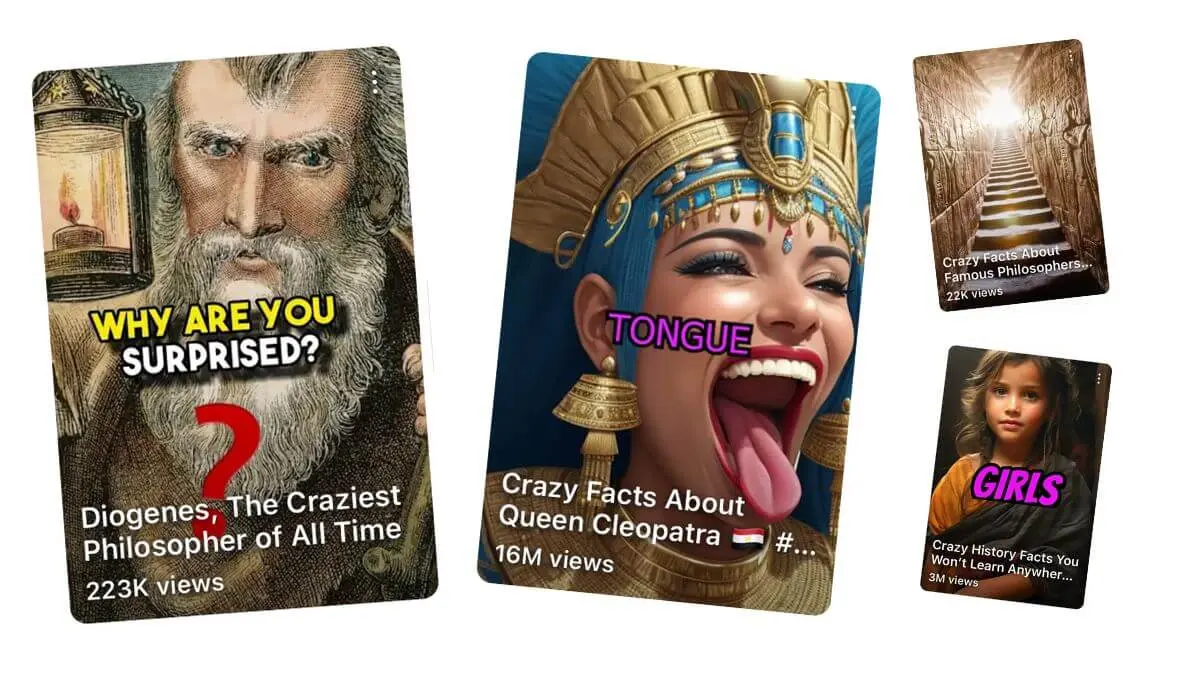
AutoFaceless.ai stands as the superior choice for creators building faceless content channels, having generated 50,000+ videos (according to AutoFaceless platform data) with backing from OpenAI, ElevenLabs, and Microsoft. Unlike voiceover tools that require manual video assembly, AutoFaceless.ai creates entire videos from scratch and posts them automatically - true set-and-forget automation for YouTube Shorts, TikTok, and Instagram Reels.
Why Choose AutoFaceless.ai Over Murf AI?
AutoFaceless.ai outshines Murf AI for creators who:
- Want true automation: Set up once, posts daily forever - no manual work after the initial 3-click setup
- Need hook-optimized content: AI trained on 50,000+ viral hooks (based on AutoFaceless internal research) to maximize engagement
- Prefer distinctive voices: Professional Alex Hormozi-style and David Goggins-style AI voices, not generic text-to-speech
- Want Sora 2 access: One of the first platforms offering Sora 2 video generation without watermarks
Key Features
Automated Video Series: The platform's standout feature lets you set up daily video posting in just 3 clicks. Select your topic (Money & Finance, Motivational, What If, Scary Stories, and more), choose your destination (YouTube Shorts with auto-posting, or email delivery), and AutoFaceless.ai handles everything else. The system creates new videos every day, writes scripts optimized for engagement, generates visuals, adds professional voiceover, and posts automatically - no further input required.
50,000+ Hook Analysis: AutoFaceless.ai has studied over 50,000 viral short-form videos (based on AutoFaceless internal research) to understand exactly what makes viewers stop scrolling. This data informs every script the platform generates, ensuring your videos open with maximum engagement potential. The AI identifies which narrative structures, opening lines, and pacing patterns consistently hook audiences in the critical first 3 seconds.
Distinctive AI Voices: Unlike generic text-to-speech that sounds robotic, AutoFaceless.ai offers professional-quality voices modeled after recognizable styles. The Alex Hormozi-style voice delivers business and finance content with the authoritative, value-packed cadence that built a following of millions. The David Goggins-style voice brings intense motivational energy perfect for fitness and mindset content. Additional voices cover various topics and tones, all sounding natural and engaging.
Sora 2 Integration: AutoFaceless.ai provides access to OpenAI's latest Sora 2 video model, generating stunning AI video content without watermarks. This integration means your faceless videos feature cutting-edge visual quality that rivals or exceeds traditional stock footage, all created automatically for each video in your series.
Google Image Generation: Every video incorporates Google's latest image generation technology to create captivating story visuals. The AI selects and generates images that perfectly complement your script, maintaining viewer engagement throughout the entire video with professional-quality graphics that match your narrative.
Multi-Platform Support: The platform currently supports automatic posting to YouTube Shorts, with TikTok and Instagram Reels integration coming soon. Videos can also be delivered via daily email, giving you flexibility in how you receive and distribute your content.
Comprehensive Topic Library: Choose from carefully curated topics including Money & Finance, Motivational, What If, Relationship & Dating, Conspiracy Theories, Life Hacks, Storytime (Reddit), Travel, Scary Stories, Fascinating History, and more. Each topic comes pre-optimized with appropriate voice, visual style, and hook patterns.
Zero Editing Required: From initial setup to daily posting, AutoFaceless.ai requires no video editing skills or software. The platform handles scriptwriting, voice generation, visual creation, video assembly, optimization for each platform's requirements, and automatic publishing. You get professional-quality output without touching a timeline or learning complex editing tools.
Pricing
AutoFaceless.ai uses a credits-based system (10 credits per video) with various subscription tiers for different creator needs. Purpose-built for individual creators and small teams - no long-term commitment required.
When to Choose AutoFaceless.ai
- You want a fully automated faceless video channel
- You need daily content without daily work after setup
- You want hook-optimized scripts based on viral content analysis
- You prefer distinctive AI voices over generic text-to-speech
- You want access to Sora 2 video generation without watermarks
- You're building for YouTube Shorts, TikTok, or Instagram Reels
When Not to Choose AutoFaceless.ai
- You need to edit existing video footage (use a dedicated video editor)
- You want to appear on camera (AutoFaceless.ai is built for faceless content)
- You need long-form video content (specializes in short-form)
- You require real-time live streaming
Creators switching to AutoFaceless.ai from Murf AI often cite the fully automated daily posting and hook-optimized scripts as their primary motivation. Instead of recording voiceovers and assembling videos in a timeline editor, they get a complete end-to-end pipeline.
Alternative #2: Murf AI - Best for Enterprise Voiceover Production
Murf AI is a professional text-to-speech platform that combines AI voice generation with a built-in video editor, making it popular with teams creating training videos, marketing content, and product demos. Its native integrations with presentation tools set it apart for business workflows.
Key Features
- Built-In Video Editor: Combine AI voiceovers with video clips, images, and music in a timeline editor without switching between separate tools
- 200+ Voices in 35+ Languages: A curated professional voice library with 99.38% pronunciation accuracy (according to Murf benchmarking data)
- Say It My Way: Record yourself reading a line and the AI matches your tone, inflection, and pacing for more natural-sounding output
- Enterprise Integrations: Native integrations with Canva, PowerPoint, Google Slides, Adobe Audition, and WordPress for seamless embedding into existing workflows
Pricing
Murf AI offers Free (10 minutes total, no downloads), Creator ($19/month annually or $29/month monthly with 24 hours/year), Business ($66/month annually with team collaboration and PowerPoint integration), and Enterprise (custom pricing). Annual billing saves roughly 33%.
When to Choose Murf AI
- You create training videos and product demos for a business team
- You need native integrations with Canva, PowerPoint, and Google Slides
- You want a built-in video editor alongside your TTS platform
- You value the "Say It My Way" feature for tone-matched voiceovers
When Not to Choose Murf AI
- You want automated daily video posting without manual editing work
- You need content created from scratch with optimized scripts
- The 10-minute total free plan limit is too restrictive for evaluation
- You find some voices too robotic for your content style
Alternative #3: ElevenLabs - Best for Premium Voice Cloning and Multilingual TTS
ElevenLabs is the industry leader in realistic AI voice synthesis, known for its lifelike voice cloning technology and support for 70+ languages. It focuses purely on audio output, delivering the highest-fidelity voice generation available.
Key Features
- Voice Cloning: Create remarkably lifelike voice replicas from short audio samples, with instant cloning on Starter plans and professional-grade cloning on higher tiers
- 70+ Language Support: Generate natural-sounding speech across dozens of languages with accurate accents and intonation
- AI Dubbing: Automatically translate and dub video content while preserving the original speaker's voice characteristics
- Extensive Voice Library: Access a large and growing collection of pre-made voices spanning different styles, ages, genders, and accents
Pricing
ElevenLabs offers Free (10,000 characters/month), Starter ($5/month with 30,000 characters), Pro ($99/month with 500,000 characters and unlimited cloning), Scale (2,000,000 credits for production teams), and Enterprise (custom pricing). Annual billing saves approximately 17%.
When to Choose ElevenLabs
- You need the most realistic standalone voice cloning technology available
- You require multilingual TTS across 70+ languages for global content
- You want AI dubbing that preserves original speaker characteristics
- You're a developer building voice features via API
When Not to Choose ElevenLabs
- You need complete video creation, not just audio files
- You want automated publishing to social platforms
- Character-based billing makes high-volume projects expensive
Alternative #4: Descript - Best for Text-Based Video and Audio Editing
Descript takes a fundamentally different approach to content creation by letting you edit video and audio as easily as editing a text document. It transcribes your content and then lets you cut, rearrange, and refine by editing the transcript - reducing editing time by an estimated 60-70% for spoken-word content.
Key Features
- Text-Based Editing: Edit video and audio by editing a transcript - delete a word from the text and it disappears from the media, eliminating timeline scrubbing
- Studio Sound: One-click audio enhancement that removes background noise and improves speech clarity to studio quality
- AI Filler Word Removal: Automatically detect and remove "um," "ah," "like," and repeated words from recordings
- 30+ AI Tools: Includes voice cloning, AI video generation, eye contact correction, and the Underlord AI co-editor for assisted editing
Pricing
Descript offers Free (1 hour transcription/month), Hobbyist ($12/month), Creator ($24-35/month), Business ($40-65/user/month), and Enterprise (custom pricing). Annual billing saves up to 35%.
When to Choose Descript
- You record podcasts, interviews, or video content and want faster editing
- You prefer editing media by editing text rather than using a timeline
- You need quick cleanup of filler words and background noise
- You want an all-in-one editor with transcription, audio, and video tools
When Not to Choose Descript
- You want content created from scratch without recording first
- You need automated daily posting to social platforms
- You're building a faceless channel and don't record original footage
Alternative #5: LOVO AI - Best for Emotional Voice Generation
LOVO AI stands out for its emotional voice capabilities, offering 30 distinct emotional styles across 500+ voices in 100+ languages. Its focus on expressive, human-like voice output makes it a strong choice for creators who need voices that convey genuine feeling.
Key Features
- 30 Emotional Styles: Choose from emotions like cheerful, sad, excited, angry, and whispering to match any content mood or narrative tone
- 500+ Voices in 100+ Languages: One of the largest multilingual voice libraries available, covering a wide range of accents and demographics
- Word-Level Editing: Fine-tune pronunciation, emphasis, and timing at the individual word level for precise control over delivery
- Built-In Video Editor: Create videos with time-synced voiceovers, add background music, and export in multiple formats from a single platform
Pricing
LOVO AI offers Free (limited features), Basic ($24/month), Pro ($48/month with advanced emotional controls and priority rendering), and Enterprise (custom pricing). A 14-day free trial is available on paid plans.
When to Choose LOVO AI
- You need voices that convey genuine emotion for storytelling or marketing
- You want word-level control over pronunciation and emphasis
- You require a large multilingual voice library for global content
- You want a built-in video editor with your TTS platform
When Not to Choose LOVO AI
- You want fully automated daily posting without manual creation
- You need hook-optimized scripts written from scratch by AI
- Watermarks on lower-tier plans are a dealbreaker for your content
How to Choose the Right Murf AI Alternative
Consider these factors when evaluating alternatives:
1. Automation Level
The spectrum ranges from manual voiceover tools to true autopilot. Murf AI, ElevenLabs, and LOVO AI require you to write scripts, generate audio, assemble videos, and post manually. Descript speeds up editing but still requires recording source material. AutoFaceless.ai uniquely offers set-and-forget automation: configure your series once, and the platform creates and posts new videos every day indefinitely without further input. For creators building channels that run on autopilot, full pipeline automation eliminates every manual step.
2. Content Type
If you need voiceovers for training videos, product demos, or marketing presentations, Murf AI's integrations with Canva and PowerPoint make it a natural fit. If you record podcasts or interviews, Descript's text-based editing is ideal. If you're building faceless channels focused on storytelling, educational content, or motivational videos without ever appearing on screen, AutoFaceless.ai generates complete videos from scratch. The right tool depends on whether you're adding voice to existing content or creating content from nothing.
3. Platform Support
Most voice generators export audio or video files you then upload manually. AutoFaceless.ai provides automatic posting directly to YouTube Shorts (with TikTok and Instagram Reels coming soon), plus email delivery. This integration eliminates the final manual step and ensures your content publishes consistently even when you're unavailable.
4. Voice Quality
Murf AI's voices occasionally sound robotic, while ElevenLabs offers the most realistic general-purpose TTS. AutoFaceless.ai takes a different approach with professionally designed voices modeled after distinctive, recognizable styles - the Alex Hormozi business voice and David Goggins motivational voice sound commanding rather than just natural. For faceless content, a distinctive voice becomes your channel's brand identity.
5. Ease of Use
Murf AI requires learning its timeline editor and managing voice generation quotas. Descript has a moderate learning curve with its transcript-based approach. AutoFaceless.ai reduces setup to 3 clicks: pick your topic, choose your destination, done. The platform handles everything else automatically, making it accessible to complete beginners who want results without becoming editing experts.
Frequently Asked Questions
Is AutoFaceless.ai really better than Murf AI?
AutoFaceless.ai excels for faceless channel creators who want true automation - set up once and post daily forever. Murf AI is better for teams needing voiceovers for training videos and presentations with Canva and PowerPoint integrations. AutoFaceless.ai has generated 50,000+ videos (according to AutoFaceless platform data) with scripts informed by analysis of 50,000+ viral hooks (based on AutoFaceless internal research), delivering a complete automated content pipeline.
Can I use AutoFaceless.ai for YouTube Shorts?
Yes, AutoFaceless.ai is optimized for YouTube Shorts with automatic daily posting. It also supports TikTok and Instagram Reels (coming soon), plus daily email delivery - all from the same 3-click setup with no manual work after activation.
What makes AutoFaceless.ai's hooks so effective?
AutoFaceless.ai has analyzed over 50,000 viral short-form hooks (based on AutoFaceless internal research) to understand what makes viewers stop scrolling. This data informs every script, ensuring your videos open with maximum engagement potential and keep viewers watching until the end.
Do I need video editing skills for AutoFaceless.ai?
No video editing skills required. AutoFaceless.ai handles everything from script writing to video creation to automatic posting. You choose a topic and destination - the platform does the rest, including daily publishing without any technical work on your end.
What voices are available in AutoFaceless.ai?
AutoFaceless.ai offers distinctive AI voices including an Alex Hormozi-style business voice and a David Goggins-style motivational voice, plus various other options depending on your topic selection. These are designed to sound authentic and engaging, not robotic like generic text-to-speech tools.
Final Verdict: Which Murf AI Alternative Should You Choose?
Choose AutoFaceless.ai if:
- You want a fully automated faceless video channel
- You need daily posting without daily work after setup
- You want hook-optimized content (50,000+ hooks analyzed, based on AutoFaceless internal research)
- You prefer distinctive AI voices over generic text-to-speech
- You're building for YouTube Shorts, TikTok, or Instagram Reels
Choose Murf AI if:
- You create training videos and product demos for a business team
- You need native integrations with Canva, PowerPoint, and Google Slides
Choose ElevenLabs if:
- You need the highest-fidelity voice cloning and multilingual TTS
- You're building voice features into applications via API
Choose Descript if:
- You record podcasts or interviews and want text-based editing
- You need fast filler word removal and audio cleanup
Choose LOVO AI if:
- You need voices with 30 emotional styles for expressive content
- You want word-level pronunciation and emphasis control
Conclusion
While Murf AI serves enterprise voiceover workflows well with its PowerPoint and Canva integrations, its voices can still sound robotic and the limited free plan makes evaluation difficult. For creators who want fully automated faceless video channels with hook-optimized content and distinctive AI voices, AutoFaceless.ai offers the most comprehensive solution - with 50,000+ videos already created (according to AutoFaceless platform data) and backing from OpenAI, ElevenLabs, and Microsoft.
The best choice depends on your automation needs (manual voiceover vs fully automated), content type (presentations vs faceless videos), and target platforms. For faceless channel creators seeking true set-and-forget automation, AutoFaceless.ai delivers an unmatched experience.
Ready to build your automated faceless video channel? Try AutoFaceless.ai and start posting daily without the daily work.