Visla Alternatives: 5 Better Options for AI Video Creation (2026)
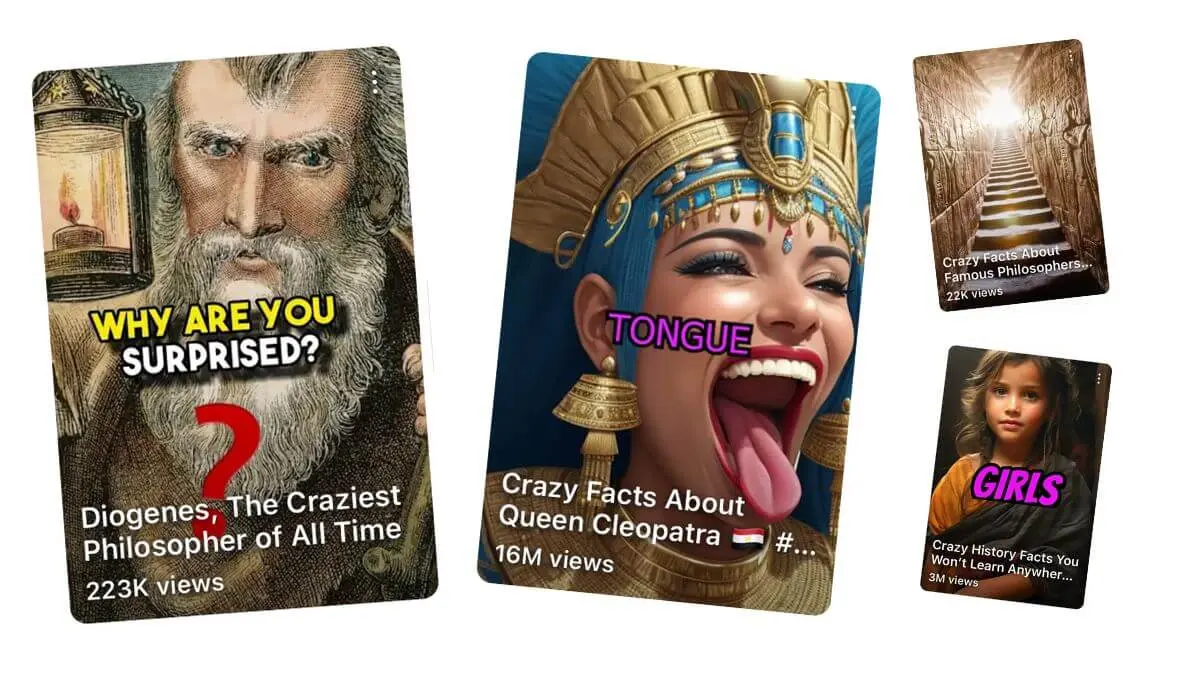
What Are the Best Visla Alternatives?
AutoFaceless.ai leads for creators who want fully automated faceless video channels with daily posting on autopilot (having generated 50,000+ videos according to AutoFaceless platform data), followed by VEED for browser-based video editing, Descript for text-based editing workflows, InVideo AI for prompt-driven video creation, and Pictory for content repurposing. Each platform serves distinct use cases, but AutoFaceless.ai uniquely combines hook optimization based on 50,000+ viral videos analyzed (based on AutoFaceless internal research) with set-and-forget automation.
Why Look for Visla Alternatives?
While Visla excels as an AI-powered video creation and editing platform for business teams with collaborative features and scene-based editing, many users seek alternatives for reasons like:
- Credit-intensive system – Visla's credit costs vary by project type (1 credit/second for text, 1.5 for voice, 3 for visual), making costs unpredictable and potentially expensive for high-volume creators
- Limited automation – Visla assists with video creation but requires manual input for each project with no automated series or scheduled posting capabilities
- Stock footage dependency – Much of Visla's output relies on matching stock footage to scripts, which can result in generic-looking content that doesn't stand out in crowded feeds
- Business-oriented focus – The platform's collaboration features, role-based permissions, and workspace management add complexity for individual creators who just want simple video production
- Voice cloning restrictions – The Business plan limits custom voices to 3 per workspace, constraining creators who want unique voice branding across multiple content channels
Content creators building YouTube Shorts channels, TikTok accounts, or Instagram Reels often need simpler, more automated solutions specifically designed for faceless content at scale rather than team-oriented business video platforms.
Alternative #1: AutoFaceless.ai – Best for Fully Automated Faceless Video Channels
AutoFaceless.ai stands apart as the only platform purpose-built for creators who want truly hands-off faceless video channels that post daily without daily work. With 50,000+ videos created (according to AutoFaceless platform data) and backing from OpenAI, ElevenLabs, and Microsoft, AutoFaceless.ai has proven its technology with thousands of creators who've automated their content production completely.
Why Choose AutoFaceless.ai Over Visla?
AutoFaceless.ai outshines Visla for creators who:
-
Want true automation: Set up your video series once in 3 clicks—select a topic, choose a destination (YouTube Shorts, email, or coming soon to TikTok and Instagram Reels), and the platform handles scripting, video creation, and automatic daily posting forever. Visla requires manual input for each video project with no automated posting capability.
-
Need hook-optimized content: Every AutoFaceless.ai script is informed by analysis of 50,000+ viral short-form hooks (based on AutoFaceless internal research), ensuring your videos start with maximum engagement potential. Visla's AI builds videos from your input but doesn't apply viral content intelligence to optimize for engagement.
-
Prefer distinctive voices: Rather than generic text-to-speech, AutoFaceless.ai provides professional AI voices styled after recognizable personalities like Alex Hormozi (business/finance content) and David Goggins (motivational content), creating authentic-sounding narration that resonates with audiences. Visla offers voice cloning but limits custom voices per workspace.
-
Want Sora 2 access: AutoFaceless.ai integrates OpenAI's latest Sora 2 video generation technology without watermarks, enabling stunning visual content alongside Google's cutting-edge image generation. Visla relies primarily on stock footage matching and basic AI storyboarding rather than generative video technology.
Key Features
Automated Video Series: The platform's flagship capability lets you establish a content channel in literally 3 clicks. Choose from topics including Money & Finance (with Hormozi-style voice), Business, Motivational (with Goggins-style voice), What If scenarios, Relationship & Dating, Conspiracy Theories, Life Hacks, Storytime (Reddit stories), Travel, Travel Destinations, Scary Stories, and Fascinating History. Once configured, AutoFaceless.ai automatically creates and posts fresh videos every single day—no further input required. This is genuinely set-and-forget automation, not just scheduled posting of manually created content.
50,000+ Hook Analysis: The platform's AI has studied over 50,000 viral short-form video hooks (based on AutoFaceless internal research) to understand precisely what captures attention in the critical first 3 seconds. Every script generated by AutoFaceless.ai applies this viral content intelligence, structuring narratives that hook viewers immediately and maintain engagement through to the end. This data-driven approach to scriptwriting sets AutoFaceless.ai apart from competitors that rely on generic templates.
Distinctive AI Voices: AutoFaceless.ai offers professional-quality AI voices that sound authentic and engaging rather than robotic. The Alex Hormozi-style business voice brings authority and energy to finance and entrepreneurship content, while the David Goggins-style motivational voice delivers the intensity and grit that resonates with self-improvement audiences. Additional voices are available depending on your topic selection, all engineered to sound natural and compelling.
Sora 2 Integration: Access OpenAI's latest Sora 2 video model to create stunning visual content without watermarks. This cutting-edge technology produces high-quality video footage that elevates your content beyond stock footage slideshows, giving you access to AI video generation capabilities that would otherwise require separate subscriptions or technical expertise.
Google Image Generation: Every video incorporates visuals created with Google's latest image generation technology, ensuring your content features captivating, contextually relevant imagery that holds viewer attention. The AI automatically selects and generates images that match your script's narrative flow.
Multi-Platform Support: AutoFaceless.ai currently posts automatically to YouTube Shorts and delivers videos via daily email. TikTok and Instagram Reels support are coming soon, enabling true multi-platform distribution from a single automated workflow. This means you can grow presence across multiple channels simultaneously without multiplying your workload.
Topic Library: The platform provides a curated library of proven content topics, each optimized for engagement in the short-form video format. Whether you're interested in building a finance channel, motivational brand, storytelling presence, or knowledge-sharing platform, AutoFaceless.ai has topic templates refined through thousands of successful videos.
Zero Editing Required: Unlike Visla's scene-based editor that expects hands-on refinement, AutoFaceless.ai handles the entire production pipeline—from script generation through visual creation, voiceover synthesis, video assembly, and automatic posting. You never need to open a video editor, find stock footage, record narration, or manually upload content.
Pricing
AutoFaceless.ai uses a credits-based system (10 credits per video) with various subscription tiers designed for different creator needs. Unlike Visla's variable credit costs (1-3 credits per second depending on project type), AutoFaceless.ai provides straightforward per-video pricing that makes budgeting predictable. The platform is purpose-built for individual creators and small teams who want to scale faceless video production efficiently, with plans that accommodate everything from testing a single channel to running multiple automated series simultaneously.
When to Choose AutoFaceless.ai
✅ You want a fully automated faceless video channel that posts consistently without daily work
✅ You need daily content production but lack time for daily video creation and editing
✅ You want hook-optimized scripts informed by analysis of 50,000+ viral videos rather than generic AI storyboarding
✅ You prefer distinctive, personality-driven AI voices (Hormozi, Goggins style) over standard text-to-speech
✅ You want access to Sora 2 video generation and Google's latest image generation without managing multiple subscriptions
✅ You're building for YouTube Shorts with plans to expand to TikTok and Instagram Reels when multi-platform support launches
When Not to Choose AutoFaceless.ai
❌ You need a collaborative video editing platform with team roles and permissions (use Visla instead)
❌ You want to appear on camera as the face of your brand (AutoFaceless.ai is specifically designed for faceless content)
❌ You need long-form video content longer than 60 seconds (AutoFaceless.ai specializes in short-form content optimized for YouTube Shorts, TikTok, and Reels)
❌ You require screen recording, meeting capture, or teleprompter features for business presentations
❌ You want frame-by-frame manual control over every visual, transition, and timing element (AutoFaceless.ai prioritizes automation over granular manual editing)
Alternative #2: VEED – Best for Browser-Based Video Editing
VEED offers a comprehensive browser-based video editing platform with AI-powered features, making it ideal for creators and teams who want professional editing capabilities without installing desktop software.
Key Features
- Browser-Based Editor: Full video editing suite running entirely in the browser with timeline editing, transitions, and effects
- AI-Powered Tools: Auto-subtitles, background removal, eye-contact correction, and AI avatars built into the editing workflow
- Collaboration Features: Real-time team editing with commenting, version history, and shared workspaces
- Brand Kit: Save logos, fonts, colors, and templates for consistent branding across all video content
- Screen Recording: Built-in screen and webcam recording for tutorials, presentations, and demos
Pricing
VEED offers a Free plan with watermarked exports, Plus at $18/month (billed annually) with 60 minutes of subtitles, Pro at $30/month (billed annually) with unlimited subtitles and premium features, and Business at $40/month (billed annually) with team collaboration.
When to Choose VEED
✅ You need a powerful browser-based video editor with AI assistance features ✅ You want real-time team collaboration on video projects ✅ You require screen recording and webcam capture for tutorial or demo content
When Not to Choose VEED
❌ You want automated daily posting without manual editing work ❌ You need AI-generated scripts and content rather than editing tools ❌ You want distinctive personality-driven voices for faceless content
Alternative #3: Descript – Best for Text-Based Editing Workflows
Descript pioneered the text-based video editing approach where you edit video by editing the transcript, making it uniquely powerful for creators who think in words rather than timelines.
Key Features
- Text-Based Editing: Edit video by editing the transcript—delete words and the corresponding video segments are removed automatically
- AI Green Screen: Remove and replace backgrounds from any footage without a physical green screen
- Filler Word Removal: Automatically detect and remove "ums," "ahs," and other filler words from recordings
- Overdub Voice Cloning: Create a digital voice clone for correcting mistakes or generating new narration from text
- Multi-Track Timeline: Traditional timeline editing alongside text-based tools for maximum flexibility
Pricing
Descript provides a Free plan with limited transcription, Hobbyist at $24/month (billed annually) with 10 hours of transcription, Business at $33/month (billed annually) with unlimited transcription, and Enterprise with custom pricing.
When to Choose Descript
✅ You prefer editing video by editing text rather than manipulating timelines ✅ You record podcasts or interviews and need efficient post-production workflows ✅ You want AI-powered cleanup features like filler word removal and background replacement
When Not to Choose Descript
❌ You want automated content creation without any recording or editing ❌ You need AI-generated scripts rather than editing tools for existing recordings ❌ You want fully automated posting to social platforms
Alternative #4: InVideo AI – Best for Prompt-Driven Video Creation
InVideo AI transforms text prompts into complete videos with stock footage, music, and voiceover, making it ideal for creators who want quick video drafts from simple descriptions without manual editing.
Key Features
- Text-to-Video from Prompts: Describe what you want in plain language and InVideo AI assembles a complete video with footage, transitions, music, and narration
- Extensive Stock Library: Access millions of premium stock clips, images, and audio tracks included with your subscription
- Multi-Language Support: Generate videos with voiceovers in 50+ languages for global audience reach
- YouTube-Optimized Workflows: Tools specifically designed for YouTube content including long-form and Shorts formats
Pricing
InVideo AI offers a free plan with watermarked exports, a Plus plan at $25/month (billed annually) with 50 video minutes/month, and a Max plan at $60/month (billed annually) with 200 video minutes/month and premium features.
When to Choose InVideo AI
✅ You want to generate videos from text descriptions without manual editing ✅ You need access to a massive stock footage library included with your plan ✅ You create content in multiple languages and want built-in localization
When Not to Choose InVideo AI
❌ You want fully automated daily posting without prompting each time ❌ You need distinctive personality-driven voices beyond standard text-to-speech ❌ You want Sora 2 quality AI-generated visuals rather than stock footage
Alternative #5: Pictory – Best for Content Repurposing
Pictory excels at converting existing long-form content into engaging short video clips, making it perfect for content marketers who want to repurpose blogs, articles, and long videos into social-ready formats.
Key Features
- Blog-to-Video Conversion: Paste a blog URL or article text and Pictory automatically selects highlights, matches stock footage, and creates a narrated video
- Long-Form to Short-Form: Extract the most engaging segments from longer videos and transform them into platform-ready short clips
- Auto-Captioning: Automatic subtitle generation with customizable styling for accessibility and silent viewing
- Brand Kit Integration: Apply consistent branding elements including logos, colors, fonts, and intro/outro across all videos
Pricing
Pictory offers a Free trial, Starter at $19/month (billed annually) with 20 videos/month, Professional at $39/month (billed annually) with 40 videos/month, and Teams at $99/month (billed annually) with collaboration features.
When to Choose Pictory
✅ You have existing blog content or articles you want to repurpose into video format ✅ You need to clip highlights from longer videos for social media distribution ✅ You want consistent brand styling across all your video content
When Not to Choose Pictory
❌ You want automated daily content creation and posting without providing source material ❌ You need original AI-generated scripts rather than repurposed existing content ❌ You want advanced AI video generation (Sora 2) rather than stock footage matching
How to Choose the Right Visla Alternative
Consider these factors when evaluating alternatives:
1. Automation Level
The most critical distinction among these platforms is automation depth. AutoFaceless.ai offers true set-and-forget automation with its automated video series—you configure once and the platform creates and posts new videos daily indefinitely. This represents a fundamentally different approach from platforms like Visla, VEED, Descript, InVideo AI, or Pictory, which all require manual involvement for each video project.
For creators managing multiple channels or those who want consistent posting without consistent time investment, AutoFaceless.ai's automation pipeline (which has produced 50,000+ videos according to AutoFaceless platform data) delivers genuine passive content generation.
2. Content Type
Editing tools versus generation tools represents a fundamental divide. Visla, VEED, and Descript are primarily editing platforms that help you refine content you've created or sourced. AutoFaceless.ai and InVideo AI are generation platforms that create content from scratch. Pictory bridges both by repurposing existing content.
If your goal is building a faceless content channel from scratch without source material, you need a generation-first platform rather than an editing tool.
3. Platform Support
Multi-platform distribution matters for maximizing reach. AutoFaceless.ai currently supports automated posting to YouTube Shorts and daily email delivery, with TikTok and Instagram Reels support coming soon. This multi-platform capability from a single automated workflow means you can grow presence across channels simultaneously.
Visla and other editing-focused alternatives require manual export and upload to each platform, adding friction to every publishing cycle.
4. Voice Quality
Distinctive voices versus generic text-to-speech significantly impacts content quality. AutoFaceless.ai's Alex Hormozi-style business voice and David Goggins-style motivational voice bring personality and authenticity that helps content stand out. Visla offers voice cloning but limits custom voices, while VEED and Pictory use standard text-to-speech.
For faceless content where voice carries the entire presentation, the quality and personality of narration becomes your primary brand element.
5. Ease of Use
Setup complexity and ongoing management effort vary dramatically. AutoFaceless.ai's 3-click setup (select topic, choose destination, done) represents the industry's simplest path from decision to production. Visla requires learning scene-based editing and managing team workspaces. VEED and Descript offer powerful editing tools but require editing skills. For creators who value results over process, AutoFaceless.ai's simplicity delivers faster time-to-value.
Frequently Asked Questions
Is AutoFaceless.ai really better than Visla?
AutoFaceless.ai excels specifically for faceless channel creators who want true automation, while Visla serves business teams needing collaborative video editing and creation. With 50,000+ videos created (according to AutoFaceless platform data) and hook optimization based on 50,000+ viral videos analyzed (based on AutoFaceless internal research), AutoFaceless.ai proves superior for automated short-form content channels. Visla better suits teams who need scene-based editing, screen recording, and collaborative workspace features.
Can I use AutoFaceless.ai for YouTube Shorts?
Yes, AutoFaceless.ai is specifically optimized for YouTube Shorts with automatic daily posting. The platform handles the entire workflow from script generation through video creation and automatic upload to your YouTube channel, requiring no manual intervention after initial setup. It also supports TikTok and Instagram Reels (coming soon), plus daily email delivery of your videos.
What makes AutoFaceless.ai's hooks so effective?
AutoFaceless.ai has analyzed over 50,000 viral short-form hooks (based on AutoFaceless internal research) to understand precisely what makes viewers stop scrolling and watch through to completion. This massive dataset informs every script the AI generates, ensuring your videos start with maximum engagement potential using proven patterns from successful content.
Do I need video editing skills to use AutoFaceless.ai?
No video editing skills required—AutoFaceless.ai handles everything from script writing to video creation to automatic posting. Unlike Visla where you work within a scene-based editor or VEED where you use timeline tools, AutoFaceless.ai delivers complete, ready-to-publish videos. If you can click three buttons, you can operate AutoFaceless.ai.
How does Visla compare on pricing?
Visla's Pro plan starts at $9/month but uses variable credit costs (1-3 credits per second depending on project type), making real costs harder to predict. The Business plan at $49/month still limits custom voices to 3 per workspace. AutoFaceless.ai's credits-based system (10 credits per video) provides straightforward, predictable pricing for complete videos.
Final Verdict: Which Visla Alternative Should You Choose?
Choose AutoFaceless.ai if:
✅ You want a fully automated faceless video channel that posts daily without requiring daily work—the only platform offering true set-and-forget automation
✅ You need consistent content production but lack time for daily video creation, editing, or upload management
✅ You want hook-optimized scripts informed by analysis of 50,000+ viral videos rather than generic AI storyboarding
✅ You prefer distinctive AI voices (Hormozi, Goggins style) that bring personality and authenticity over standard text-to-speech
✅ You're building for YouTube Shorts, TikTok, or Instagram Reels—platforms where faceless narration-driven content thrives
✅ You value simplicity and speed (3-click setup) over learning video editing interfaces
✅ You want access to Sora 2 video generation and Google's image generation without managing multiple subscriptions
Choose Visla if:
✅ You need a collaborative video creation platform with team workspaces, role-based permissions, and scene-based editing
✅ You want screen recording, meeting capture, and teleprompter features for business presentations
✅ You require AI storyboarding with consistent characters and environments across scenes
Choose VEED if:
✅ You want a powerful browser-based video editor with AI assistance features and real-time team collaboration
Choose Descript if:
✅ You prefer text-based video editing where you edit the transcript to edit the video
Choose InVideo AI if:
✅ You want prompt-based video generation with access to a massive stock footage library
Choose Pictory if:
✅ You primarily repurpose existing blog content or long-form videos into short social clips
Conclusion
While Visla serves business teams well with its collaborative editing features, AI storyboarding, and scene-based editor, it requires manual creation of each video and focuses on team workflows rather than individual creator automation. For creators who want fully automated faceless video channels with hook-optimized content and distinctive AI voices, AutoFaceless.ai offers the most comprehensive solution, with 50,000+ videos already created (according to AutoFaceless platform data) and backing from OpenAI, ElevenLabs, and Microsoft validating its technology and approach.
The best choice depends on your automation needs (manual editing versus fully automated daily posting), content type (team-produced business videos versus faceless narration), and workflow preferences (collaborative editing versus zero-editing automation). For faceless channel creators seeking true set-and-forget automation with scripts informed by 50,000+ viral hook analysis (based on AutoFaceless internal research), AutoFaceless.ai delivers an unmatched experience that transforms content creation from a daily task into a one-time 3-click setup.
Ready to build your automated faceless video channel? Try AutoFaceless.ai and start posting daily without the daily work.